
Odoo Migration Company in India
361 Techno Consulting provides safe, structured Odoo migration services—helping businesses upgrade, modernize, and future-proof their ERP systems.
Whether you’re upgrading Odoo versions or migrating from a legacy ERP, we ensure data accuracy, system stability, and minimal business disruption.
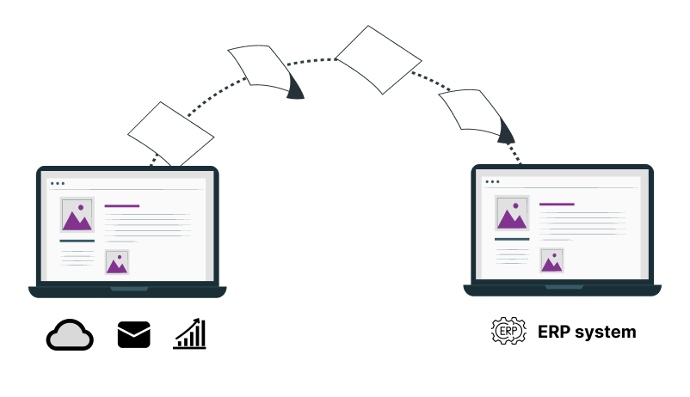
What is Odoo Migration?
Odoo migration is the process of moving your ERP database, configurations, and custom modules to a newer Odoo version—or switching from a legacy ERP to Odoo—while preserving data integrity and operational continuity. A successful migration includes staged testing, validation, reconciliation, and a controlled go-live plan to minimize risk and downtime.
Our Odoo Migration Services
Odoo Version Upgrade
Upgrade from older Odoo versions to the latest release with full data integrity, minimal downtime, and upgrade-safe architecture.
Legacy ERP to Odoo Migration
Migrate from legacy ERP systems such as Tally, SAP, custom ERPs, or Excel-based systems to Odoo.
Database Migration
Secure migration of master and transactional data while preserving relationships, history, and accuracy.
Custom Module Migration
Refactor and migrate custom Odoo modules to be compatible with newer versions following best practices.
Data Cleansing & Restructuring
Clean, validate, and restructure data during migration to improve system performance and reporting quality.
Post-Migration Support
Stabilization, monitoring, fixes, and enhancements after go-live to ensure smooth operations.
Our Odoo Migration Process
Migration Assessment & Planning
We evaluate your current system, Odoo version, customizations, data volume, and risks to define a clear migration strategy.
Data & Customization Analysis
Detailed analysis of data models, custom modules, integrations, and dependencies.
Migration Development
Development of migration scripts, mapping logic, and compatibility adjustments for the target Odoo version.
Staging Migration & Testing
Dry runs in a staging environment to validate data accuracy, reports, workflows, and integrations.
Production Migration
Controlled go-live migration with rollback planning and minimal business disruption.
Validation & Reconciliation
Cross-verification of financials, inventory, transactions, and reports post-migration.
Training & Support
User training, documentation, and post-migration support for smooth adoption.
Benefits of Odoo Migration
FAQs on Odoo Migration
Can you migrate data from any Odoo version?
Yes. We handle migrations from older Odoo versions to the latest releases, including complex custom setups.
Will my custom modules work after migration?
Custom modules are reviewed and refactored to ensure compatibility and upgrade safety in the target version.
How long does an Odoo migration take?
Timelines vary based on data volume and customization. Most migrations take between 2–8 weeks after assessment.
Is downtime required during migration?
Downtime is minimized using staging migrations and controlled cutover planning.
Do you provide post-migration support?
Yes. We provide stabilization, monitoring, and support to ensure smooth operations after go-live.
Planning an Odoo upgrade or migration?
Let us assess your current system and propose a safe, structured migration plan.
Request a Migration Assessment